Jumat, 21 Desember 2012

Nik Software Silver Efex Pro 2.006 Rev 20894


Nik Software Silver Efex Pro 2.006 Rev 20894 | 33.3 Mb

Discover the beauty of black and white photography with Silver Efex Pro 2, the world's leading solution for creating stunning images. Silver Efex Pro 2 offers a powerful set of darkroom-inspired features, including the revolutionary U Point technology that enables you to fine-tune your images with precise selective enhancements.

Powerful All-in-One

Black and White Workflow
Whether you are a professional or a hobbyist yearning for those days in the darkroom, Silver Efex Pro 2 gives you all the power and control you need to create high quality black and white images.

In the past, black and white tools often meant compromising on the quality of the conversion or required a complex and lengthy multi-step process that didn't assure predictable results. We set out to create a single workflow solution that provides everything you need for the highest quality results.

Great beginnings
Start with dozens of visual presets as starting points. If you like what you see, you're done. If you want to go further, use an extensive set of global controls such as brightness, contrast, saturation, structure, film types, toning, and much more to craft your image.

Selective editing and finishing touches
For the ultimate in selective enhancements, look no further than the revolutionary U Point technology for incredibly precise selections and adjustments. You can even use the Zone Map built into the software to help guide your edits. Finally, add a vignette, burn in the edges, or add a natural image border to finish your black and white masterpiece. Experimenting is fast and fun, with the ability to compare different editing states with the brand new History Browser.

Looking to the future
You'll discover that although black and white photography is nearly 200 years old, Silver Efex Pro 2 gives you the very best of that legacy in one easy-to-use tool plus new capabilities that make it possible to do more than ever before. What will you do with it?

Home Page - http://www.niksoftware.com/

DOWNLOADS
extabit

Nik Software Viveza 2.009 Rev 20903


Nik Software Viveza 2.009 Rev 20903 | 17.2 MB

Nik Software Viveza 2 - the most powerful tool to selectively control light and color in your photos. Creating a great photo involves the development of color and light. Powered by a patented U Nik Software's Point ®, a new Viveza 2 allows photographers of all skill levels to quickly improve their image by using innovative tools, designed for speed and efficiency. The exact selective improvement of U Point Powered Control Points, with changes that improve the entire image, Viveza 2 allowing you to spend more time taking pictures and shooting forever change the way you edit your photos.

Master Color and Light, Effortlessly
Two of the most important factors in creating great photography are color and light. Mastering the art of selectively correcting or enhancing each of these is now possible for every photographer without the need for complicated masks or selections, or expert-level knowledge of Photoshop. Integrating award-winning U Point technology, Viveza is the most powerful and precise tool available to control light and color in photographic images.

U Point powered Color Control Points, placed directly on colors or objects in an image (such as sky, skin, grass, etc.), reveal easy-to-use controls that photographers can use to quickly adjust brightness, contrast or color in a fraction of the time needed by other tools. With Viveza you’ll spend more time shooting photographs and save hours of image editing.

Viveza provides photo enthusiasts and professional photographers alike with the most powerful yet easy to use tool ever created for selectively modifying color, light and tonality in photographs.

U Point® Technology — U Point powered Control Points enable you to selectively control the light and color of every photograph without the need for any complicated selections or layer masks. Use one Control Point or as many as you need to dial in exactly the effect you want. Enhancements are automatically and naturally blended throughout your image for spectacular results.

Smart Filter Enabled (Adobe® Photoshop® only) — Viveza is compatible with “Smart Objects” in Adobe Photoshop which permits you to fine-tune enhancements after they’ve been applied, without adding additional layers. When Viveza is used as a Smart Filter, you can create and later edit Color Control Points with no loss of quality of image details.

Incredible Speed — U Point technology brings a new level of precision and efficiency to photographic image editing. By placing a Color Control Point on any part of the image you wish to alter, and moving a few simple sliders, you can achieve incredible results in a fraction of the time required by other tools.
Powerful Selective Tool (Adobe® Photoshop® only) — allows you to brush any light and color changes into your image using Photoshop’s brush tools. Layers and masks are created automatically, enabling you to quickly and easily apply any filter selectively.

● NEW: Global Image Adjustments – With global adjustments in Photoshop or Lightroom before using Viveza for selective control? Now go straight to Viveza and apply any color, light or structure enhancement image-wide. Even adjust levels & curves.
● NEW: Fine Detail Structure Adjustments – Enhance or reduce fine details in your images for the ultimate look.
● NEW: Shadow Recovery – Never lose shadow detail again. Easily recover details hidden in shadows selectively with a Control Point or apply image-wide.
● Timesaving Interface, Optimized for Speed – U Point technology, coupled with an efficient interface and dozens of shortcuts for zooming, nudging and undoing, saves time in your workflow and quickly gets you back to shooting.
● NEW: Interactive Help System – Informative, lesson-based Help system will get you up and running with Viveza 2 in no time.
● Smart Filter Support – Viveza 2 is compatible with Adobe Photoshop's Smart Filter feature which permits you to fine-tune enhancements after they’ve been applied, without adding additional layers.
● Selective Brush Tool – The Selective Brush Tool allows you to brush any light and color changes into your image using Photoshop’s brush tools. Layers and masks are created automatically, enabling you to quickly and easily apply any filter selectively.
● Multi-Image Support – Photographers can maintain consistency and speed workflow when working with Viveza 2 in Adobe Photoshop Lightroom and Apple Aperture. When more than one image is opened, Viveza 2 will reveal “Previous” and “Next buttons for easy copy and paste between images.

New in Viveza 2:
● New tools to work with levels and curves
● Recovery Options shadow
● Improved management of small details
● Improved accuracy of selection
● Changes to the interface
● Added support for Smart Filter and Selective Brush tool in Photoshop
● Added support for 64-bit versions of Windows
● Ability to work with multiple images simultaneously in Lightroom and Aperture.

Home page - http://www.niksoftware.com/

DOWNLOADS
extabit

Nik Software Dfine 2.112 Rev 20903


Nik Software Dfine 2.112 Rev 20903 | 60.8 Mb

Dfine 2 gives you unprecedented control over exactly how much and where to apply noise reduction. This makes it ultra-easy to eliminate noise in your images while maintaining detail and sharpness, thus improving the quality of every digital photo you take. Dfine 2 is designed to prevent the loss of detail other noise reduction tools often introduce.

What is Noise?
Virtually, all digital cameras inherently create unwanted imperfections known as noise. The amount or type of noise in an image typically depends on the quality and type of imaging sensor with which it was created.

Contrast (Luminance) Noise and Color (Chrominance) Noise can be individually present in an image or might be seen in the same image. Fast or high ISO speeds and low light levels can add noise to images, while some images might exhibit high levels of JPEG artifacts.

U Point® Technology
One of the hottest technologies in digital photography today, U Point technology powered Control Points have been added to Dfine 2 making it easy to reduce noise only where it is needed, maintaining details everywhere else.

Selectively Apply Noise Reduction
The Control Point and Color Range methods, along with the Selective Tool offer you the most advanced ways for selectively applying noise reduction to your images.

New and Improved Noise Reduction Engine with Automatic Profiling
Dfine 2 contains a brand new reduction engine that provides best-in-class noise reduction while retaining an incredible amount of detail.

Automatic camera profiling replaces the need to purchase camera profiles and fine-tunes Dfine’s revamped noise reduction engine to produce the best results for your camera. You can also create and save your own profiles for batch processing images.

Improved User Interface
The new resizable interface lets you easily incorporate noise reduction into your workflow and quickly preview the results from the noise reduction applied.

Powerful Selective Tool (Adobe® Photoshop® only)
The Selective Tool gives you instant access to Dfine 2 and allows you to brush filter effects into your image using any brush tool available in Photoshop or Photoshop Elements. Layers and layer masks are created automatically, enabling you to quickly and easily apply enhancements to precise areas in your image.

Smart Filter Compatibility (Adobe® Photoshop® only)
Dfine 2 is Smart Filter compatible which allows you to go back and fine tune your images even after effects have been applied.

Multi-image Support (Lightroom® & Aperture® only)
Dfine 2 is compatible with Lightroom & Aperture’s ability to work on multiple images at once. When more than one image is opened, "Previous" and "Next" buttons appear that allow photographers to easily reduce noise in several image quickly and easily.

Home page - http://www.niksoftware.com/

DOWNLOADS
extabit

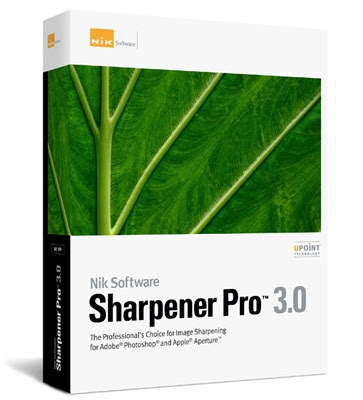
Nik Software Sharpener Pro 3.010 Rev 20903


Nik Software Sharpener Pro 3.010 Rev 20903 | 74.1 Mb

Nik Software Sharpener Pro 3 its popular photographic plug-in for use with Adobe® Photoshop®. Designed for professionals and photo enthusiasts, Sharpener Pro 3 is the most advanced and powerful sharpening solution for photographers, eliminating the guesswork typically required for achieving superior and consistent results.

Now featuring Nik Software's patented U Point technology, Sharpener Pro 3.002 enables photographers to selectively sharpen objects within their images. U Point powered Control Points are easy to use and offer precise control over sharpening intensity without the need to create complicated selections and layer masks.

Key Features
• New U Point Powered Control Points - Enables precise, selective sharpening control
• Updated Output Sharpening - Provides the ultimate control to create perfectly sharpened images on all devices and media types such as display, inkjet, continuous tone, half tone, and hybrid tone
• New Creative Sharpening - Enhances fine details and textures with new structure, focus, and local contrast tools for drawing attention to desired areas within the image
• New Industry-First Sharpening Soft Proof - Allows detailed inspection of sharpening results on screen before printing, eliminating costly test prints
• New Output Presets - Enables custom settings to be saved for consistent, professional results
• Updated RAW Presharpener - Retains and enhances sharp details within images without amplifying noise and other artifacts
• Updated Powerful Selective Tool (Photoshop only) - Enables the use of Photoshop's brush tools to paint in sharpening selectively
• New Smart Filter Support (Photoshop only) - Provides compatibility with Adobe Photoshop's Smart Objects enabling adjustments to sharpening after Sharpener Pro has been applied

Home Page - http://www.niksoftware.com/index/usa/entry.php

DOWNLOADS
extabit

Topaz Labs Photoshop Plugins Bundle 2012 (32bit and 64 bit + Eng+Rus) + Keygens + Pathes-PMS | 705 MB


Topaz Labs Photoshop Plugins Bundle 2012 (32bit and 64 bit + Eng+Rus) + Keygens + Pathes-PMS | 705 MB

A set of plug-ins from the well-known company Topaz Labs for Adobe Photoshop, as well as Photoshop Elements. Plug-ins are designed to regulate the expansion of the program, simulate oil painting and watercolors, noise reduction, separation of the object from its background and associations with other images, sharpening and more. Most plug-ins included with language.

DOWNLOADS
extabit part1
extabit part2
extabit part3
extabit part4
extabit part5
extabit part6
extabit part7
extabit part8

PhotoWiz ColorStyler 1.02 Photoshop Plugin


PhotoWiz ColorStyler 1.02 | 7,7 MB


The Company The Plugin Site from Germany updated Photoshop-compatible plug-in and standalone (Standalone) ColorStyler , which predtavlyaet wide range of automatic, semiautomatic and manual tools for correcting, improving and restore photos, their concentration of more than 20 types of effects imitating various styles of color film , lenses, more than 600 presets, masking effect for use only in certain areas of the photo.

Main Features
• Reproduces the Whole Workflow of Color Film photography from shooting a Photo to processing in the IT lab and Framing the end result
simulates • 50 color films and many film grain types, lens filters, development strategies, paper types, special lab effects and much More
• More than 20 types Effect Including selective Color, Split Color, vignette, blur and Glow Effects
• Hundreds of presets That CAN be browsed as thumbnails
• Masking brush tool and a Wide range of masking Other Features
• Various Other tools: eyedroppers, Diagrams curves, Split views, histograms, Navigator
• Different Modes for beginners and Advanced People
• Allows Batch processing of Image Files
• Processes 8bit and 16bit RGB Images 02/01 Windows Version (August 2012) • Four new ND presets • The Undo / Redo feature now Also works if Prefs> Instant Preview is activated and if a preset item is clicked. • Only You need to Move the mouse over the preset list in order to use the mouse Wheel for scrolling. Previously IT was Necessary to click a preset first. Standalone • Bug Fix: Sometimes a Memory error was displayed at start up and crash occurred later. It was caused by some values ​​in the. Ini file. This is fixed now. Standalone Bug Fix: The controls vanished When opening an Image Via command line and Starting up with maximized window. Standalone • Bug Fix: When Expanding the preset list, Sometimes the preview did not display Correctly anymore. • Bug Fix: Clicking on the preset list background does not Collapse a Group or display an error message anymore. • Bug Fix: The Brightness Slider of FX1> Polarizer was not Taken into Account When Saving presets or for the Show / Disable menu. • Bug Fix: Choosing Polarizer or ColorShift the item on the Disable menu did not disable the Effect. • Bug Fix: Selecting a Color Grad preset in Easy or Advanced Mode did not set the right item in Photography Mode. • Bug Fix: Clicking a preset item Sometimes the Updated preview twice. • Bug Fix: Changing the Language with a skin did not activated the Language and Draw On Startup labels. • Plugin Installer: The message "This program Might not have installed Correctly" is not displayed anymore. System requirements: • Windows 7 , Vista, XP (32-bit & 64-bit) / 2000, ME, NT, 98 ● Adobe Photoshop 64-bit (CS4 or later) ● Computerinsel Photoline 64 (16 or higher) ● Paint.NET 32-bit: ● Adobe Photoshop (3 or higher) ● Adobe Photoshop Elements Adobe PhotoDeluxe ● ● Adobe After Effects (01.04, 5.0 and 05/05, but not animatable) ● Adobe Illustrator (7 or higher ● Adobe ImageReady (2 or higher) ● Adobe PageMaker (6.5 or above) ● ACDSystems Photo Canvas (2 or higher) ● ACDSystems Photo Editor (3 or higher) ● ACDSystems Canvas (X or higher) ● And other graphics editors (~ 70) supporting modules .8 BF

DOWNLOADS
extabit

Curvemeister v3.4.1 Retail for Adobe Photoshop (x86/x64)


Curvemeister v3.4.1 Retail for Adobe Photoshop (x86/x64) | 26.8 Mb

Curvemeister is a Photoshop and Photoshop Elements plug-in designed to turbo-charge color correction and enhancement. The simple interface provides a powerful toolset for quickly accessing and adjusting curves (RGB, CMYK, LAB and HSB), creating layer masks and pinning memory colors.

Here are some key features of "Curvemeister":

• Let the Curvemeister color wizard guide you thorugh the basic steps of color correction.
• Set shadow, highlight, and neutral, correctly and within seconds, in Lab, CMYK, RGB, or HSB without changing the mode of your image.
• Switch color spaces at any time during a curve operation, without flattening, or changing the mode of your image
• Built-in threshold function to locate the shadow and highlight, and to spot clipping immediately in the image window
• See all of your curves at once
• A well-integrated design that flows seamlessly into your normal Photoshop workflow
• Make the curve window as large as you want, and make adjustments more accurately
• Use the Hue clock to judge colors, such as skin tones, instantly and accurately
• Use pinning to get a good flesh tone instantly, or to curve an object to any desired color, or match colors from one area of your image to another.
• Use floating neutrals to pin a neutral point, and change brightness by adjusting multiple curves at the same time
• Full and accurate support for all of Photoshop's color modes, including 8 and 16 bit depths, plus the HSB color space
• Unlimited color samples
• Optional histogram overlay for each curve
• Additional sample size options, including an unlimited sample size.
• Optional display of sample information, including additional decimal places, deltaE and standard deviation
• More control over curve orientation and curve axis labels
• Additional curve features, such as corner fill, and the ability to rotate curves in place.
• Copy and paste colors and curves, for sharing, documentation, and discussion
• Copy a channel to the clipboard for use elsewhere, for example as a mask
• Fantastic software support, including a free one month class on how to use curves.
• Many other features

Home Page: http://www.curvemeister.com

DOWNLOADS
letitbit